Less noise. More money back.

Scan your bill. Bite back at fees.

For Gen Z, Millennials, and households tired of creeping fees: turn a bill photo into a sharp roast, suspicious-charge breakdown, and clear next steps.

Free basic receipt roasts + limited scans per monthUnlimited scans, alerts and guidance

$4.99

  • Spot suspicious fees
  • Track recurring charges
  • Get dispute scripts
Receipt review
  • Overview
  • Scan bill
  • Receipt review
  • Subscriptions
  • Fee alerts
  • Share cards
StartsSnap a bill

Start with a receipt, utility statement, or subscription renewal.

ThenRead the roast

AI adds sharp commentary to the charges it finds.

ThenCheck flagged fees

Review possible overcharges, duplicates, and unused recurring charges.

DoneChoose your move

Use guided cancellation or dispute scripts to take action.

  • Restaurant bills
  • Utility statements
  • Subscription renewals
  • Duplicate charges
  • Hidden fees
  • Receipt roasts
  • Fee alerts
  • Dispute scripts

Turn everyday bills into clear reasons to question a charge, with a little wit and practical next steps.

Less guesswork

Know what deserves a second look

From the first scan to your next move, keep the funny commentary and the useful details together.

Your bill

Scan the details

Snap a restaurant bill, utility statement, or subscription renewal. AI extracts the details and flags suspicious charges.

  • Restaurant bills
  • Utility statements
  • Subscription renewals
  • Suspicious fees
  • Duplicate charges
  • Cancellation scripts

From charge to action

Get a clear breakdown of possible overcharges, plus guided scripts for disputing charges or cancelling unwanted subscriptions.

Example question

Why is this fee here?

A roast with receipts

A punchy, two-sentence roast puts overpriced extras in perspective. The fee breakdown gives you something useful to check.

  • Bill scanned
  • Duplicate flagged
  • Subscription tracked
  • Price drop
  • Fee spike
  • Script ready

Watch the creeping fees

Track bills and subscriptions, with price-drop and fee-spike alerts that help draw attention to changes.

For everyday spending

Your bills. Your next move.

For Gen Z, Millennials, and households who want less fee confusion and more control.

Roast it. Then review it.

  • Brunch bill check Scan a restaurant receipt for suspicious extras.
  • Shareable receipt cards Send a scored roast to stories or group chats.
  • Details kept private Share cards auto-redact personal details like full names and card numbers.

Keep recurring costs in view

  • Subscription tracking Keep track of recurring charges.
  • Fee change alerts Get alerts for price drops or fee spikes.
  • Cancellation guidance Use guided scripts to act on unwanted subscriptions.

Give household bills another look

  • Utility bill scans Check statements for suspicious fees.
  • Duplicate charge checks Review flagged charges before deciding what to dispute.
  • Clear dispute scripts Get guidance for questioning a charge.
Illustrative portrait of a smiling person wearing a headset beside a laptop.

Example roastAI commentary

That service charge brought a plus-one: another service charge. Your dinner bill appears to be hosting a fee reunion.

Illustrative receipt commentary

How it works

One photo. A clearer next move.

Scan a bill, review what looks suspicious, then choose how to act.

  1. 01. Snap your bill

    Photograph a restaurant receipt, utility statement, or subscription renewal to start the scan.

    • Example: service charge
    • Example: duplicate item
    • Example: recurring charge
    • Example: fee increase

    02. Review the breakdown

    Read the roast and check flagged fees against your bill. A flag is a reason to look closer.

  2. Example next steps
    • Review a flagged duplicate charge
    • Open a guided dispute script
    • Share a redacted receipt card

    03. Take your next step

    Use cancellation or dispute scripts, track recurring bills, or share a redacted roast card.

Everyday bill checks

A closer look, wherever you are

A person photographing a receipt at an outdoor table overlooking a lake and mountains.
Snap the billStart with the receipt in hand01
A phone on a rock displaying an illustrated receipt-scanning screen against a mountain lake view.
Focus on feesAn illustration of the scanning experience02
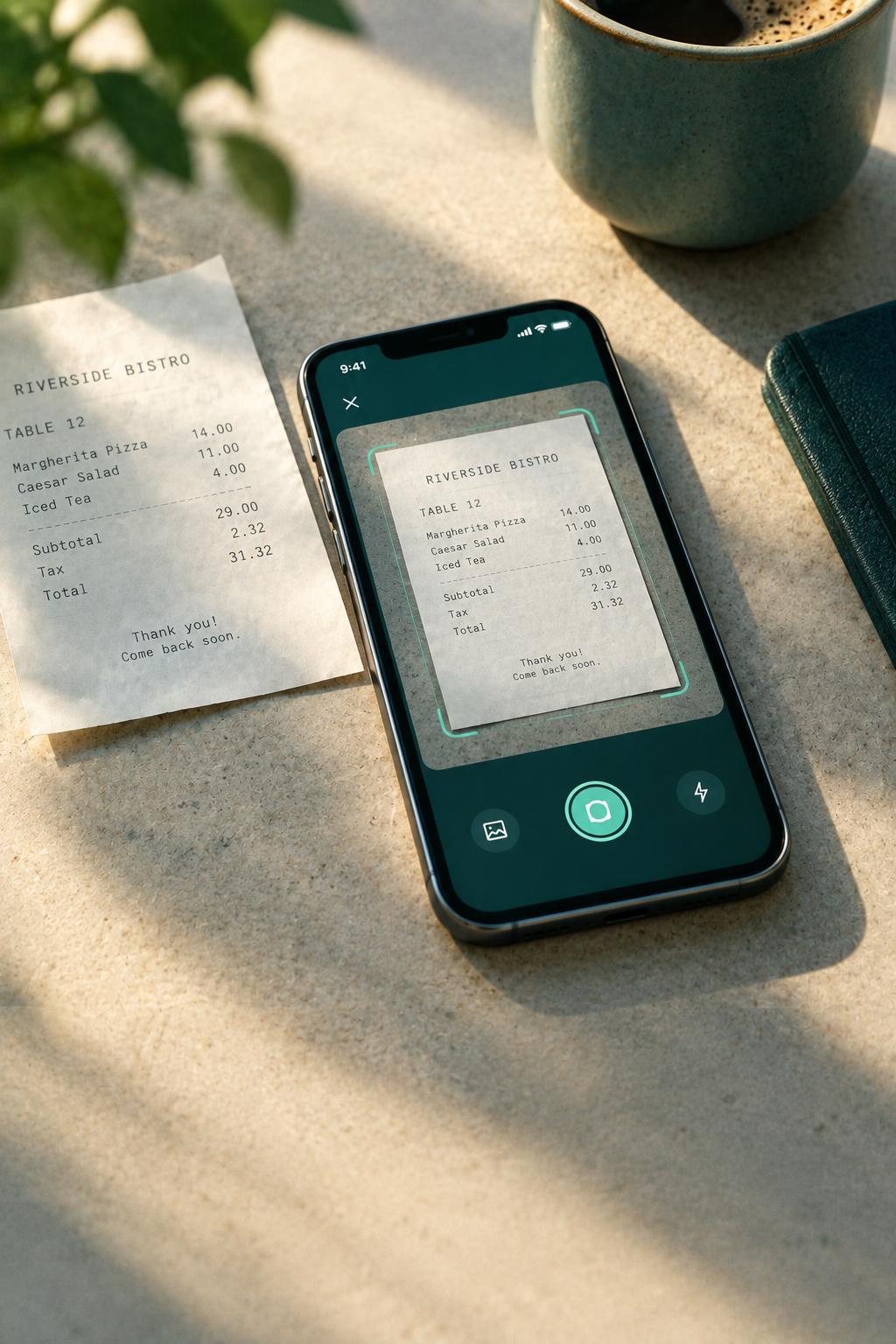
A phone showing a receipt in its scanning view beside a paper restaurant receipt and coffee cup.
Check the detailsEveryday receipts deserve another look03

FAQ

Before you bite

What can I scan?

Photograph a restaurant bill, utility statement, or subscription renewal. BillBite uses AI to extract the details, roast the bill, and flag suspicious charges.

Does a flagged charge mean I'm owed a refund?

No: a suspicious charge is something to review, not proof of an error. The breakdown and guided dispute scripts help you decide what to question.

What happens to personal details on shared cards?

Shareable receipt cards auto-redact personal details such as full names and card numbers. The supplied product information does not specify storage or deletion terms.

Will it cancel subscriptions for me?

BillBite provides guided cancellation scripts so you can take the next step. It does not promise automatic cancellations or successful disputes.

Do I need to connect a bank or budgeting tool?

The described workflow starts with a photo of your bill, not a connected account. No bank or budgeting-tool integrations are listed.

Made with MadeThis